Saturday, January 25, 2014
Legislative Update - January 2014
Every month, Jennifer Bergland conducts a Legislative Update Webinar in order to keep Technology Directors informed of important issues.
This month's update highlighted the State Board of Education's graduation requirements, the Instructional Material offerings for Technology Applications courses, and the Digital Learning Environment mandate.
Below is a link to my notes along with some other informational documents:
Many thanks to Jennifer and TCEA for offering these monthly updates.

Monday, December 9, 2013
Curriculum & Instructional Materials
Today I had the opportunity to attend a session at the IMCAT Conference on Curriculum & Instructional Materials.
The session focused on understanding how course decisions affect the Instructional Materials Allotment.
Click on the link below to see my notes from the session:
Curriculum & Instructional Materials
The session focused on understanding how course decisions affect the Instructional Materials Allotment.
Click on the link below to see my notes from the session:
Curriculum & Instructional Materials
Instructional Materials Allotment 101
Notes from the Instructional Materials Coordinators' Association of Texas (IMCAT) Conference
Instructional Materials 101
Pre-Workshop Description: A general overview of the Instructional Materials Allotment.
Agenda:
- Administration
- Curriculum
- Purchasing & Finance
- Technology
- Warehousing
1. Administration (Presenter: KK Korelick, District IM Coordinator, Judson ISD)
- This year the distribution is 50-50.
- The TEKS Certification must be done yearly; comes out in February and usually goes to Board in March.
- EMAT - Educational Materials Administrative Technology
- This is the system that each district uses to ask for IMA funds from the State.
- EVI Materials is still funded by the state - Amy Flores from TEA is in charge of this.
- TEA pays publisher directly on materials ordered and freight charges. This money still comes out of your allotment.
- Disbursements allow districts to order non-state adopted IM, technology equipment, and technology services from the IMA
- Lori Lee from TEA is in charge of disbursements
- Each district may have 4 users in the EMAT system (2 users place the orders; 2 users have read only access)
- There is an online form where you can request a login ID for the person needing access.
2. Curriculum (Presented by Lea Bailey, Director of Learning Resources, Irving ISD)
- IMA Teams usually consist of Finance, Purchasing, Superintendent, Technology, District IM Coordinator, Instructional Staff, Curriculum
- Finance: Monitor IMA Funds and ensure funds are allocated to the correct amounts; need "view-only" access to EMAT; create a budget to cover district needs regarding IMA
- Purchasing: Ensure district purchasing procedures are followed
- Superintendent: Certifies that district is following TEA's requirements regarding the use of IMA
- Technology: What are the district goals for technology in the classroom; what is needed to meet these goals in regards to IMA; what, if any, personnel positions may be needed to meet these goals?
- Instructional Support: Input from campus level
- Curriculum: Input from administrative level as to the needs at the campus level; write curriculum to meet the TEKS or STAAR standards
- Proclamation 2014
- Math K-8
- Science K-12
- Technology Applications
- CATE Related to Science
- Reviewers must thoroughly understand new TEKS and STAAR/EOC issues.
- Use as resources or focus on the curriculum? Does the material compliment IM already in use in the district?
- Check appeal/engaging lessons
- Depth of curriculum
- Diversity of resources
- Questions to ask for review:
- Who reviews? Staff, Parents/Community, Students?
- How to review? Individually, as a campus, grade level district-wide
- How will you evaluate? Curriculum, usability, compatibility
- Factors to Consider for Electronic IM:
- Determine if district has policies or procedures that support electronic IM use school or at home
- Is digital content the best format for both portability and student use and comprehension
- Ensure teachers understand the implications of using electronic textbooks
- Get everyone on board - Teachers, students, and parents will need to fully embrace the idea of "going paperless"
- Teachers will need time and training to learn new curriculum strategies, implement in the classroom, and modify to meet individual student needs.
3. Technology (Presented by Ann McGruffey, IM Coordinator, Duncanville ISD)
- Things to Focus On:
- What devices are needed in district?
- Are the new devices compatible with current district software?
- Did you purchase online accessible materials? Not only with EMI but also with home?
- What is the cost?
- Is there a warranty?
- Is the life of the equipment cost effective to justify purchase?
- Does your district have enough servers?
- Do you have enough licenses, assist with staff, parent, and student access, training and maintenance?
- Is the material fully compatible with all devices used in your district?
- Is the management system easy to use?
- Is the student information system used to determine what resources can be accessed?
- Who loads the student data?
- What video rights do we get with implementation?
- What printing rights do we get with implementation?
- What additional resources does the district need to partially and fully implement?
4. Purchasing & Finance
- How to use IMA funds
- Each district is responsible for ordering materials directly from the publisher or vendor specified on the allotment disbursement request.
- IMA purchases valued at $50,000 (check local policy) for a 12 month period must be made using one of the purchasing methods below:
- competitive bids
- rfp
- catalog purchases
- reverse auctions
- quote
- buy board
- competitive sealed proposals
- inter-local contracts
- Unless "sole source" exception applies, meaning the items is available from only one vendor
- New editions of state-adopted IMs would be covered by sole source exception
- If there is excess disbursement money, a district must account for overage
- Having a correct quote or bid will eliminate any excess dollars
5. Revenue & Expenditures
- Beginning with the 2013-2014 FY fund code: 410 State Instructional Materials Fund (formerly state textbook fund)
- Revenue Object Code:
- 5829 State Program Revenues Distributed by TEA
- Expenditure Object Codes:
- 6321 Instructional Materials
- 6329 Reading Materials
- 6639 Furniture, Equipment, and Software
- 6669 Library Books and Media
- Org
- 922 District Managed Accounts
- 865 Curriculum Managed Accounts
- Sub-objects
- 003 Instructional Materials Allotment
- 665 Lost State Materials
- 765 Lost District Materials
- 922 Disposal of Old Materials
- Fund 410 is used to record the revenue and expenses related to the IMA fund
6. Warehousing (Presented by Greg Wright, IM Coordinator, Leander ISD)
- A Distribution Center is not the final destination for a product - it is merely an intermediate stop en route from a source of supply (vendor) to the ultimate user
- Basics to Warehousing:
- Organization: Control the inventory-know who has access; have a tracking system - pencil or paper or software tracking system
- Staff
- Supplies & Tools
- Accountability:
- Schedule Audits
- Pick up surplus
- Warehouse to campus
- Campus to campus
- Campus to Warehouse
Monday, November 25, 2013
Legislative Update
Today I had the opportunity to participate the monthly Legislative Update webinar given by the Texas Computer Education Association (TCEA). In today's webinar, Jennifer Bergland highlighted the State Board of Education's graduation requirements, the Instructional Material offerings for Technology Applications courses, and E-Rate.
Below is a link to my notes:
Legislative Update - 11.15.13 - My Notes
A lot of discussion centered around using the IMA funds for technology as well as the lack of offerings for Technology Applications Instructional Materials.
Below is a link to my notes:
Legislative Update - 11.15.13 - My Notes
A lot of discussion centered around using the IMA funds for technology as well as the lack of offerings for Technology Applications Instructional Materials.
Tuesday, November 12, 2013
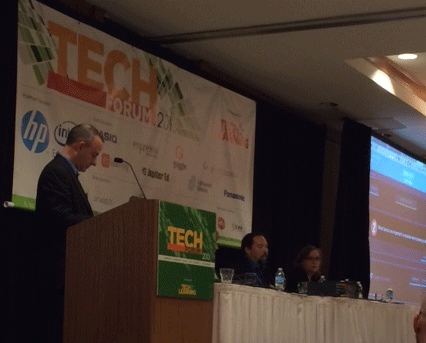
Which Technology is Right for Your School or District?
Notes from
Tech Forum Texas 2013 #tltf13

Session Description:
Should you buy laptops, iPads,
Chromebooks, Windows tablets or some other device for your teachers and
students? Invest in multiple platforms? Go BYO and let them choose? In this
session, you will hear several district administrators sharing their own
stories about what purchasing choices they made – and more importantly, how and
why they made them.
Steve Young
(moderator, Judson ISD), Mary Ann Beseda (Spring ISD), Carl Hooker (Eanes ISD),
Kevin Schwartz (Clear Creek ISD), Candace Threadgill (Klein ISD)
Question 1: What student device
have you deployed in your district?
Klein ISD
·
Did a lot of
planning prior to choosing a device
·
Curriculum
drives the decision making
·
It has to do
with functionality as well
·
Device has
to be able to support all four core subject areas
·
Klein uses a
PC tablet - this decision was made 6 years ago
·
They
continue to use a PC tablet and support this decision
·
They have
been successful and it works for them and their students
Eanes ISD
·
Have 1:1 iPads
·
Started in
Library at High School
·
Began with
70 of them
·
They
reviewed a variety of tablets, everything from HP tablets, Dell tablets
·
They interviewed
and surveyed teachers
·
Went K-12
last year with 1:1 iPad implementation
Spring ISD
·
Software
drove hardware decision making process
·
Started with
laptops
·
Didn't have
bond to replace them
·
School went
to BYOD and had laptops available for check out
·
They are a
Google Apps for Ed district
·
They now
have several thousand Chromebooks
·
A committee
was formed and teachers came and make their pitch for the type of device they
wanted
·
They got feedback from students as well
Question 2: What are important
factors when choosing a device?
Klein ISD
·
Have a list
of necessary items and important factors
·
Device has
to be mobile; has to have long battery life; has to have touch and pen
technology; cost is a factor; has to be durable and lightweight
·
Consider the
students opinions
·
Need good
warranty
·
Need good
AUP to support device roll out
·
Have to be
able to last 5 years
Clear Creek
ISD
·
It was what
the community wanted - that was a major factor
·
Started
around increasing wireless capacity in district
·
Did a lot of
planning and listened to/surveyed a lot of people
·
Had many
vendors come in
·
It was a very
transparent process
·
Narrowed decision
down to Apple and Dell Latitude and chose the Dell Latitude because that device
best met the needs of what they were planning on using the devices for
Eanes ISD
·
Personalization
was a factor
·
Long battery
life
·
Wanted what
community had in homes and what the community was already familiar with
Spring ISD
·
Sustainability
and supportability are important
·
There aren’t
a large number of technicians in the district
·
The device
has to work well with applications already in use in the district
·
Since they
are Google Apps for Ed district, the Chromebook was the most logical choice for
them
Question 3: What about access?
Wireless connection?
Klein ISD
·
The
community helps ; they provide hot spots for the students
Clear Creek
ISD
·
They conducted
survey and 95% had broadband
·
Digital Wish
and other donations help (http://www.digitalwish.com)
·
Campuses
built scholarship; they raise money and the funds go to help other students who
don’t have access
Question 4: What do you think a
common problem is with 1:1 deployment? What hiccups have you run into?
Spring ISD
·
Teachers were
not ready for the devices
·
They didn’t
know how to teach with them
·
At the beginning,
teachers would tell students to turn off Chromebook while instruction was occurring
Klein ISD
·
Have a plan
and work your plan
·
There will always
be hiccups with technology
·
Try to foresee
these problems in your plan and then deal with them when they arise
·
If need be,
change the plan and continue to work it
Spring ISD
·
Tried Lenovo
Chromebook in Elementary Schools
·
Tried Dell
Latitude in Middle Schools
·
Use HD Nook
for High School – mainly for periodicals
·
It depends
on how you are going to use the device
·
Use a
variety of devices - the ones that works the best and needs the least amount of
maintenance
Eanes ISD
·
It’s how you
respond to the failure that is key
·
Mistakes
will happen
Question 5: Is security a
problem? Are the devices filtered? Locked-down?
Klein ISD
·
When at
home, they are filtered through Klein
·
They Erate a
lot of things
Eanes ISD
·
Some parents
have them take off the Eanes filter at home
·
The parent
piece is huge
·
Every
district needs to have plan in place - Do you want to send the devices home? Do
you want to provide a filter?
Question 6: What about teacher
training?
Klein ISD
·
Teachers get
tablets ahead of time
·
A lot of
training occurs
·
Teachers help
other teachers
·
You have to
have everyone on board with the idea from the Superintendent to the Custodian because
everyone plays a role in it
Eanes ISD
·
Have
Instructional Tech Specialist at every campus
·
This helps
and is key with teacher training
·
The campus
administrator is key as well; they push this and set the expectations for the
teachers
Spring ISD
·
Have 2
Instructional Techs for the entire district
·
They go
above and beyond the call of duty
·
They do a
lot by example and model for other teachers
Question 7: What are you doing to
assess the impact of the program on teaching and learning?
Spring ISD
·
Teachers
come back and do presentations
Clear Creek ISD
·
Depth of
learning, breadth of learning, time of learning
·
Learning is three dimensional so this is hard
to answer
Klein ISD
·
It’s all
about access and being able to provide more access
Thank you to
all for sharing your knowledge and experience. I think Carl summed it up best
when he said, “When you limit it to one device, then you limit yourself and your
students.”
Friday, July 12, 2013
Sharing Don't Come Easy: Especially with iPads
Notes
from Session at iPadpalooza
#iPlza13
Presenter: Mary Ray, District Instructional Technology
Specialist, East Central ISD
Session Website:
Session Description: Deploying iPads in a shared environment
can be a tricky feat! East Central ISD Director of Technology Operations,
Miguel Guhlin and District Instructional Technology Specialist, Mary Ray share
lessons learned, obstacles and successes with regards to East Central ISD's
current iPad pilot, EC3.
East Central’s Story:
- East Central ISD launched the EC3 iPad Program in the Fall of 2012.
- The program was the Superintendent’s idea.
- Cohort 1
- participants were 14 teachers from 7 different campuses
- 450 iPads were distributed
- Cohort 2
- will launch in the Fall of 2013
- will expand the number of participants to 38 teachers from 9 different campuses
- 694 iPads are projected to be distributed
- Principals choose teachers who will participate in cohorts
Goal of Program:
- Provide students with engaged learning opportunities that not only transform delivery, assessment and differentiate the delivery of instruction, but change how students and staff create, collaborate, communicate, as well as develop critical thinking and problem-solving skills in a globally connected environment.
Cohort 1 Classroom
Inventory:
- Each classroom received the following inventory
o 1 teacher iPad
o 1 VersaVu iPad case
o 1 MacBook Pro
o 1 Spectrum
Charging/Syncing Cart
o 25-35 student iPads
(# depended on grade level)
o 25-35 Kensington
Blackbelt iPad cases (# depended on grade level)
o 1 external hard drive
(for computer back up)
o 1 VGA Adapter for
teacher iPad
Cohort 1 App Inventory:
- Paid Apps
o
Keynote
o
Office2HD
- Free Apps
o
Edmodo
o
Google
Drive
o
Documents
by Readdle
- Spring & Fall 2012 - Biweekly 'Appy Hour sessions
o
iPad
101
o
Email
on the iPad
o
App
Evaluation
o
Webclips
o
Edmodo
o
Google
Drive
- June 2012 - EC3 Teacher Academy (4 days)
o
Commitment
Letter/Teacher Expectations
o
SAMR
Model
o
Content
Creation vs Content Consumption
o
Product-based
learning
- August 2012 - PreLaunch Day
o
Equipment
Checkout
o
Cart
Management - Charging/Syncing
o
Apple
Configurator
- October 2012 - March 2013
o
Three
(3) Consultant Days
- June 2013
o
One
(1) day registration to ISTE
Classroom
Learning Activity Rubric:
- See website for rubric
Classroom Management Tips:
- Log in, Log out.Train your students to log out of apps before closing them. Allow time at the beginning and end of each class period for logging in and out of accounts.
- Do not allow individual students to set up their email accounts in the Mail app.
- "Personalize" as much as you can.Number your iPads and assign students to the same iPad each day.
- Provide options for saving content created in apps.
Subscribe to:
Posts (Atom)